Master Your Moves with Focus Exercises
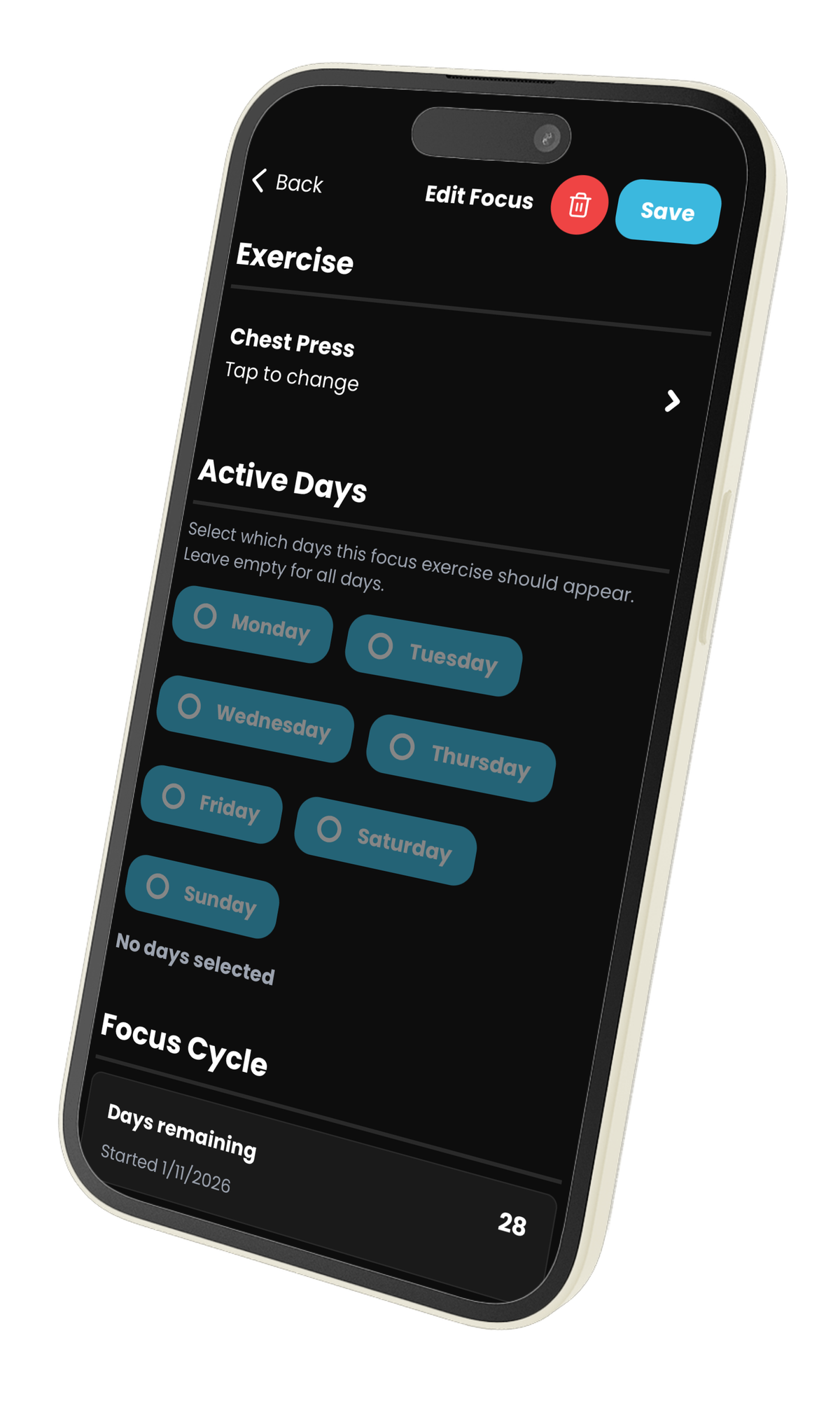
We all have that one exercise. Maybe it’s the Banded Push-Up that you’re trying to perfect, or perhaps you just really, really love the burn from Face Pulls. When you're using an intelligent workout generator like Rubber Bands, you get a perfectly balanced workout every time. But sometimes, you want to tip the scales a little bit. You want to tell the AI, "Hey, I trust you, but I really want to do squats today." Enter the Focus Exercise feature.
What are Focus Exercises?
Focus Exercises allow you to "pin" specific movements to your routine. It's a way to tell Rubber Bands that whenever you're training a specific muscle group, you want a specific exercise to be included in the lineup. Whether you're trying to break through a plateau, master a complex movement, or simply enjoy a particular exercise, this feature ensures it gets the attention it deserves.
Why It's Awesome
1. Practice Makes Perfect
Consistency is key to mastery. If you want to get better at an exercise, you need to do it frequently. By setting an exercise as a "Focus," you ensure it shows up in your rotation as often as possible, giving you the reps you need to improve your form and strength.
2. Smart Integration, Not Just Random Insertion
The best part about Focus Exercises in Rubber Bands is that they are smart. The app doesn't just blindly throw your focus exercise into every workout. Instead, it intelligently checks:
- Target Muscles: Is today's workout hitting the muscles used in your focus exercise?
- Equipment: Do you have the right bands or anchors available in your current profile?
If the stars align, Rubber Bands swaps out an exercise for your chosen Focus Exercise, keeping your workout balanced while prioritizing your goals.
3. Set It and Forget It
You don't need to manually edit your workout every single time. Go to Settings > Focus Exercises, add your favorites, and choose which days of the week you want them to trigger. Rubber Bands handles the rest.
How to Get Started
- Open Rubber Bands.
- Navigate to Settings.
- Tap on Focus Exercises.
- Tap the + button to add a new focus.
- Select your exercise and (optionally) specific days of the week.
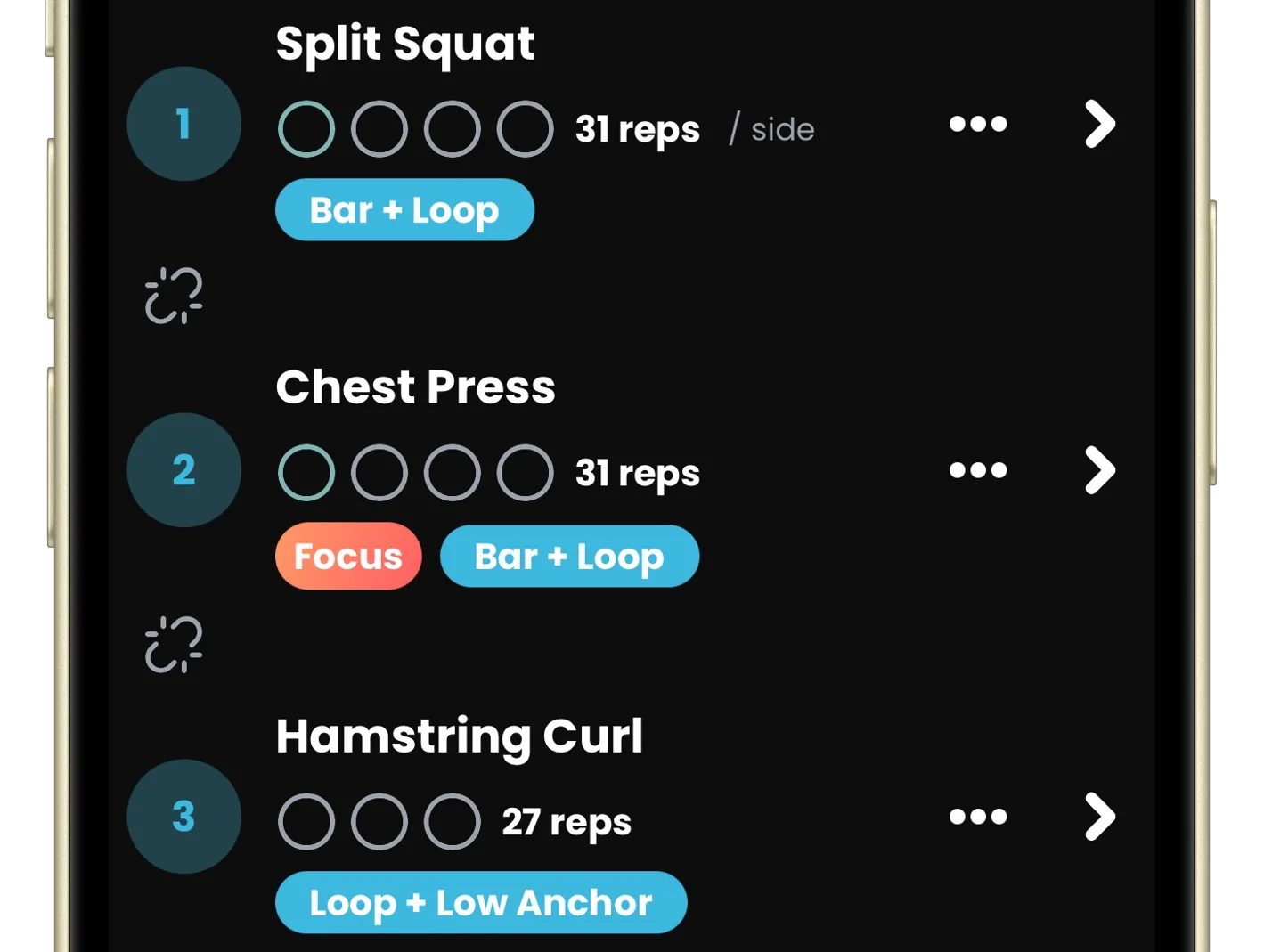
Next time you generate a workout that targets the relevant muscles, look for the special gradient badge next to your exercise. That's your Focus Exercise in action!
Ready to focus? Update your app and start mastering your favorite moves today.