Track Your Transformation: Body Measurement Tracking in Rubber Bands

See the progress the scale can't show you. I'm thrilled to introduce Body Measurement Tracking, a feature designed to help you capture the real results of your resistance band training. While the scale tells one story, your tape measure tells another. When you're building muscle with bands, your body composition changes in ways that simple weight tracking misses entirely.
Track 11 Key Body Measurements
Rubber Bands supports comprehensive tracking for all major muscle groups:
Upper Body
- Chest
- Right and Left Biceps
- Right and Left Forearms
Core
- Waist
- Hips
Lower Body
- Right and Left Thighs
- Right and Left Calves
Each measurement comes with its own custom icon, making it easy to identify your stats at a glance.
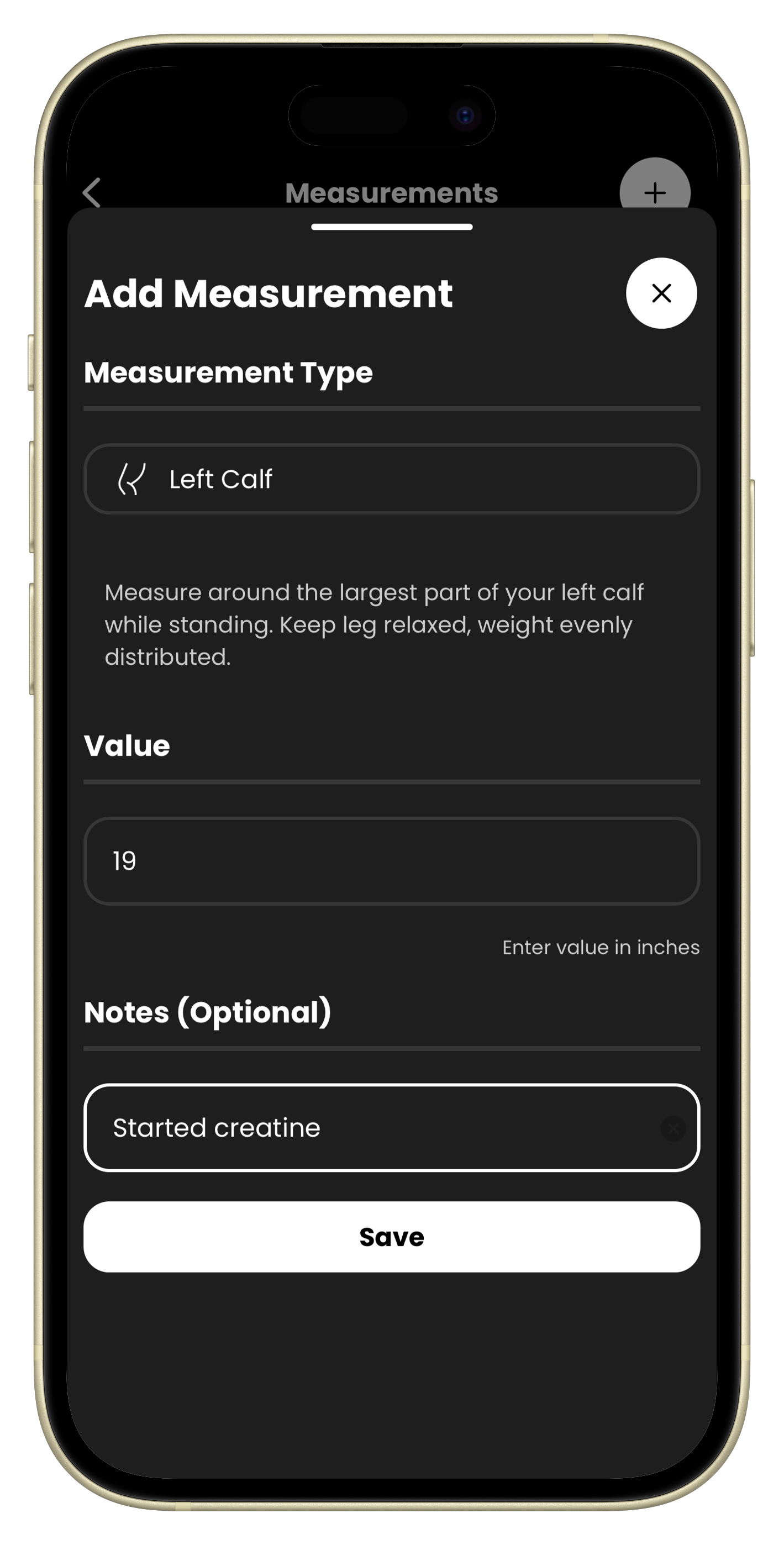
Built-In Measurement Guides
Not sure how to measure correctly? We've got you covered. Each body part includes detailed measurement instructions right in the app, for example with biceps:
"Measure around the largest part of your bicep. Flex your arm to a 90 degree angle and tense the muscle for maximum measurement."
Consistent measurement technique is the key to accurate tracking, and now you'll nail it every time.
Smart Trend Analysis
Rubber Bands uses linear regression analysis to calculate your trends scientifically. Based on research from anthropometric studies, the app distinguishes between:
- Trending Up - Your measurement is growing (great for biceps!)
- Trending Down - Your measurement is shrinking (perfect for waist goals!)
- Stable - No significant change detected
Full History with Notes
Every measurement is timestamped and saved. Tap any measurement to view your complete history and track your journey over time. Add optional notes to remember context:
- "Started creatine this week"
- "Post-vacation baseline"
- "End of 8-week bulk"
Apple Health Integration (iOS)
When you track your Waist Circumference, it automatically syncs to Apple HealthKit. Keep all your health metrics unified in one place.
Metric and Imperial Support
Whether you prefer centimeters or inches, Rubber Bands handles the conversion seamlessly. Enter values in your preferred unit, and the app stores everything consistently behind the scenes.
Get Started Today
- Open Rubber Bands and go to Settings
- Tap Body Measurements
- Hit the + button to log your first measurement
- Select the body part and follow the measurement guide
- Watch your trends develop over time
The scale doesn't tell the whole story. Start measuring what matters and see the transformation your band training is creating.