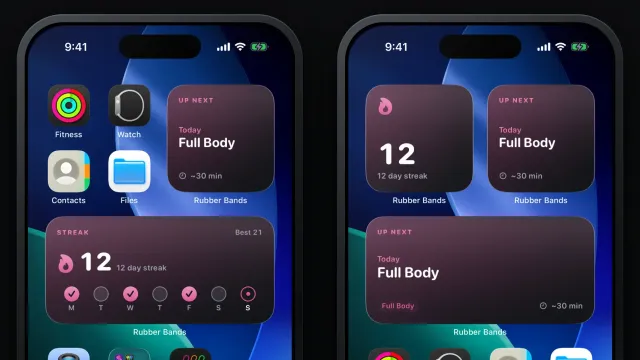
Leave the phone in your pocket
Start a workout on your iPhone and the Rubber Bands Apple Watch app takes it from there: log sets, pick bands, run timed holds, and finish with live heart rate.

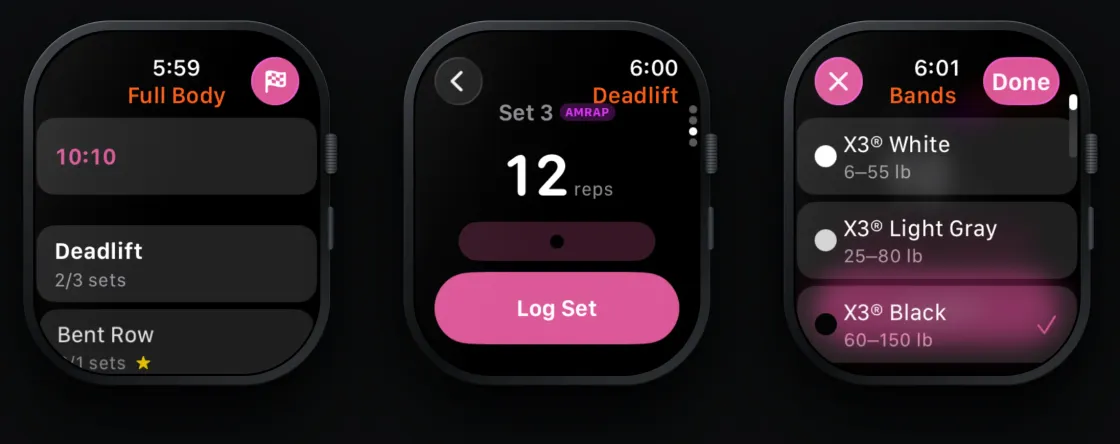
Resistance band training keeps both hands busy. Picking up your phone between every set to tap a number is the worst part of logging, and it is the part people skip. The Rubber Bands Apple Watch app is built so you do not have to. Start the workout on your iPhone, put the phone down, and run the whole session from your wrist.
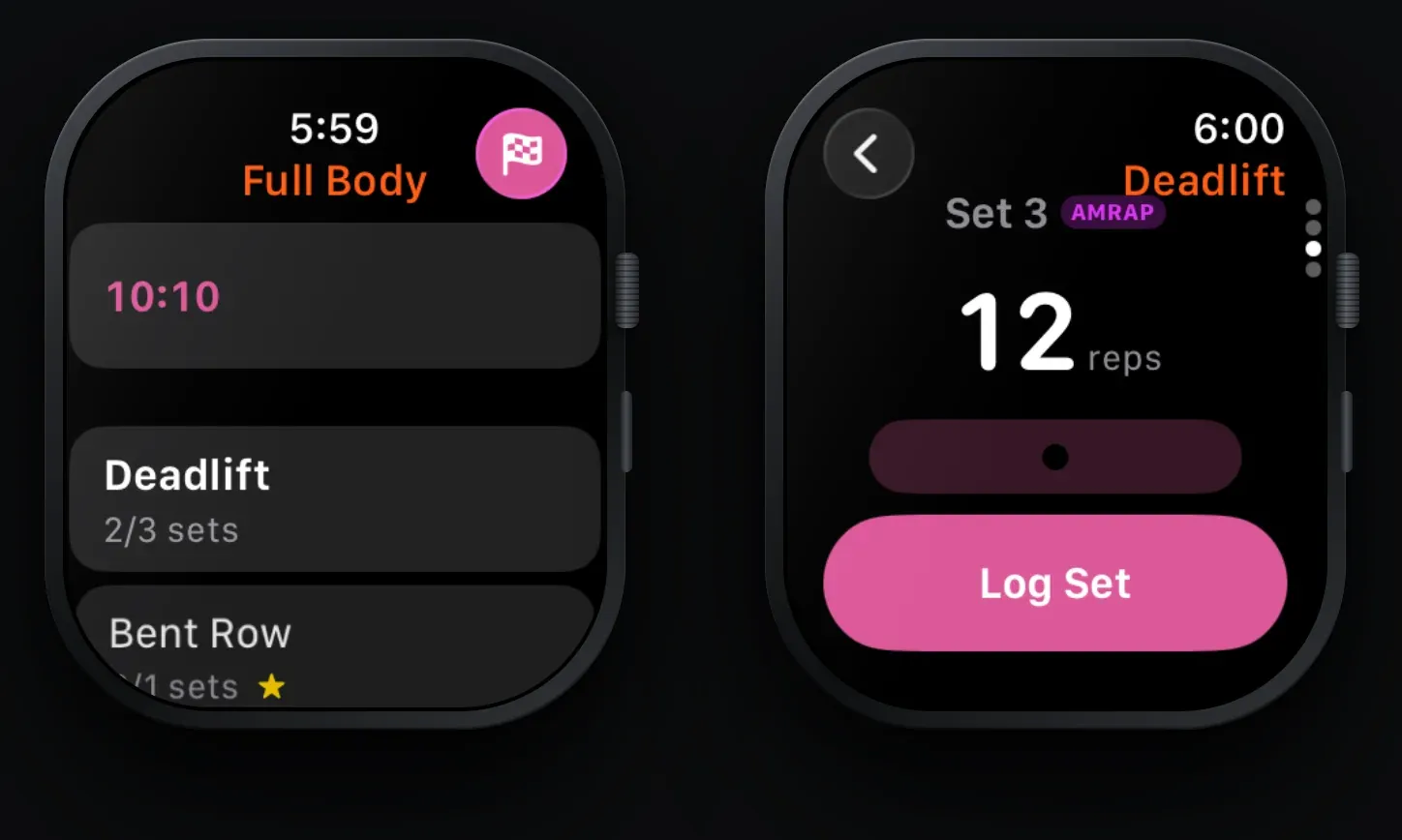
Start on the iPhone, the watch takes over
Tap Start Workout on your phone and the watch app opens on its own. It shows the workout name, a running timer, and every exercise in order with its set count. A yellow star marks your focus exercises, a link icon marks supersets, and the exercise you are on is highlighted. Tap any exercise to jump to it.
Log sets with the Digital Crown
Each exercise opens a set pager. Turn the Digital Crown to adjust reps, then tap Log Set. Warmup and AMRAP sets are badged so you know which set you are on. Swipe down to the next set, or to the end of the pager to add a set or remove the last one. Every log you make on the watch shows up on the phone immediately, and the watch keeps up if you log on the phone instead.
Bands and timers
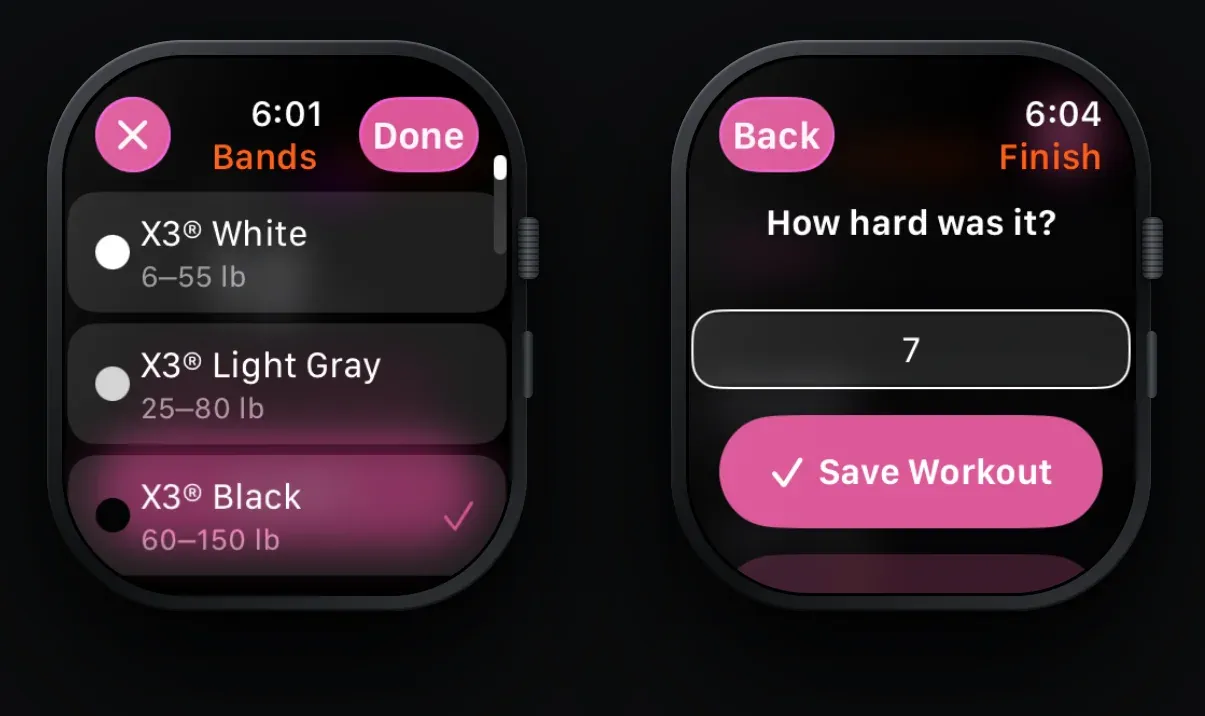
Tap the band row on any set to open the band picker. It lists the bands in your gym profile with their colors and resistance ranges in your units. If stacking is on for your setup, pick more than one band and the watch shows the combined resistance.
Timed holds like planks run on the watch itself. Turn the Crown to set the time, start it, and feel a haptic tick at three, two, and one before the set is logged automatically. When a rest timer is running, a rest chip with the countdown sits at the bottom of the exercise list. Tap it to cancel the rest on both devices.
Live heart rate, saved to Apple Health
The watch runs a strength training session while you work out, so your heart rate shows live in the header. When you finish on the watch, the workout is written to Apple Health with heart rate data attached. Finish on the phone instead and the phone saves it, so you never get two copies.
Finish from your wrist
Tap the flag, rate the session from 1 to 10, and tap Save Workout. The rating is saved with the session next to your reps and bands, the same as finishing on the phone, so the watch is a full replacement for logging, not a remote control.
Good to know
- Workouts start on the iPhone. The watch picks the session up automatically.
- Keep the phone nearby. The watch talks to the app over Bluetooth or the same Wi-Fi network, and if the link drops it queues what you logged and catches up.
- Needs watchOS 10 or later and Rubber Bands 3.6 on the phone.
There is no separate install. If Rubber Bands is on your iPhone and you have a paired watch, the watch app is already there if you have install apps automatically turned.
Open the Watch app on your phone and scroll to Rubber Bands if it is not showing on the watch yet and manually install if needed.
Pairing the watch with the new home screen widgets gives you the full loop: see the workout on the home screen, start it on the phone, log it from your wrist.